How to create a network in your small office
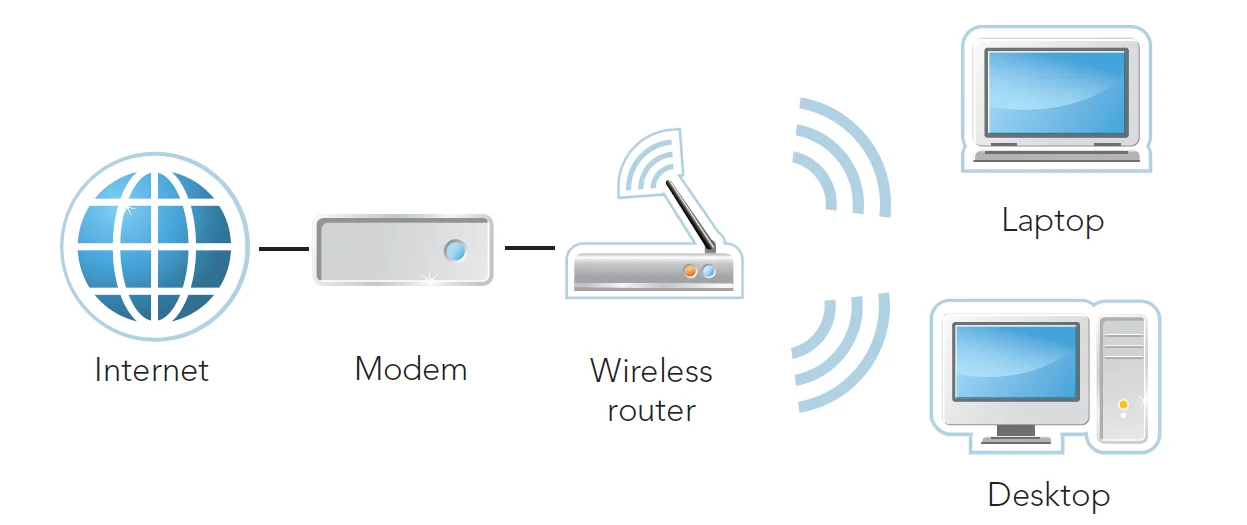
Setting up a wireless network in your small office for one or two computers can be simple. If you are using a DSL modem, just connect the router to the Ethernet port on the back of your modem then set up your wireless connection.
Computers and other devices can be hardwired or set up to connect wirelessly to the router. Most routers will offer step by step instructions on setting up the equipment.
If you have fiber-optic service at your business location you connect to the Internet through an Ethernet connection. Plug your router directly into the Ethernet jack marked Data and set up devices to work hardwired or wireless from the router. For more complex office settings or to set-up two wireless networks that are separate for employees and customers, please contact our Business Sales team. We would love to help you set up an enterprise solution that ensures the security, performance and convenience of your wireless network.